When you buy a used copy YOU SAVE

2.3Kg of CO2

288 litre(s) of Water

0.0173 Tree(s)

1 book donated to global literacy projects
My macOS - My...
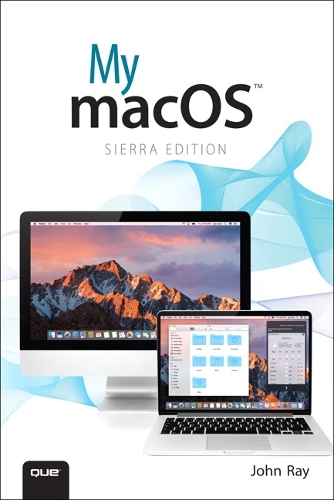
My macOS - My...
paperback
Published:
23 November, 2016
paperback
Published:
23 November, 2016

Standard worldwide delivery by
Tue, August 4 - Fri, August 7
Order within
0

Condition:
USED
$10.41
RRP
$24.75
You save $14.33 (58%)
Available
1
in stock
FREE Returns within 30 days
Popular Books by John Ray
View All Books by John Ray



Description
My macOS is filled with beginning through intermediate tasks, presented in a thorough step-by-step format, that guide you through learning everything you need to know to use the newest release of macOS. The goal is not to teach you how to type or click a mouse but how to configure network settings, customize your desktop, use built-in apps, optimize battery life, set up backup solutions, and much more.
In My macOS, you will find:
Step-by-step instructions with callouts to macOS photos that show you exactly what to do.
Help when you run into hardware or operating system problems or limitations.
Tips and Notes to help you get the most from macOS.
Full-color, step-by-step tasks walk you through getting and keeping macOS working just the way you want. The tasks include:
In My macOS, you will find:
Step-by-step instructions with callouts to macOS photos that show you exactly what to do.
Help when you run into hardware or operating system problems or limitations.
Tips and Notes to help you get the most from macOS.
Full-color, step-by-step tasks walk you through getting and keeping macOS working just the way you want. The tasks include:
- Managing, arranging, and tagging your files
- Staying informed and productive with Notification Center
- Creating and navigating virtual workspaces in Mission Control
- Opening and organizing apps with Launchpad
- Accessing network devices and resources
- Activating and using iCloud services
- Communicating online with email, instant messaging, and video
- Keeping appointments with Calendar and Reminders
- Planning trips and checking traffic with Maps
- Keeping up-to-date with friends and family via Twitter and Facebook
- Downloading and enjoying music, movies, books, and more
- Sharing purchases with your family
- Challenging your friends to games with Game Center
- Working seamlessly with iOS Devices with Handoff and AirDrop
- Protecting and securing your system and data
- Expanding your system with peripheral devices
- Troubleshooting common system problems
More Details
| Type | Book |
|---|---|
| ISBN13 | 9780789757883 |
| ISBN10 | 0789757885 |
| Number Of Pages | 576 |
| Item Weight | 914 g |
| Product Dimensions | 155 x 230 x 28 mm |
| Publisher / Reseller | Pearson Education (US) |
| Format | paperback |
| Edition | 2nd edition |
See More +
GoodReads Reviews
Author's Bio
John Ray is a life-long fan of Apple products; he has been an avid Mac user since its inception in 1984. He relies on OS X both at work and at home because it is a robust, flexible platform for programming, networking, and design. Over the past 17 years, John has written books on OS X, iOS development, Linux, web development, networking, and computer security. He currently serves as the Director of the Office of Research Information Systems at The Ohio State University. When he isn’t writing, he is either re-creating a marine disaster in his living room, watching Arduinos go up in smoke, or planning a highly elaborate projects that will quadruple his carbon footprint.